Skip to content

Handler — an AI personal trainer for strength training

Handler

Your training, in context.

Program setup, workout logging, coach chat, and progress review in one place. Handler is currently available only to invited iOS TestFlight testers.

Invited TestFlight beta · iPhone-first · Public launch in preparation

Your training day
in the private beta
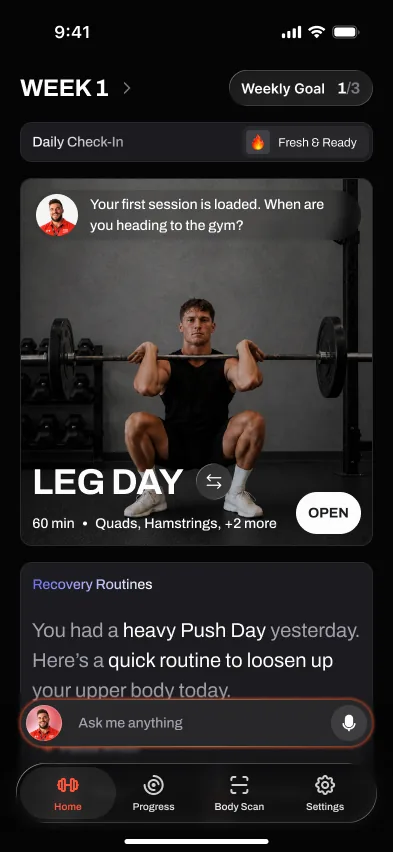
Handler home screen: Week 1 with a loaded LEG DAY session — 60 minutes, quads and hamstrings — a daily check-in, and the ask-me-anything coach bar
TodayIllustrative session

The session.
The numbers. The context.

An example of how a workout and its notes can fit together. These loads and explanations are illustrations, not a generated result or a training prescription.

Today — lower bodyWeek 3 · 4 lifts · ~60 min
Back squat4 × 5 · 102.5 kg · rest 3:00was 100 — every rep clean last session. It moves.
Romanian deadlift3 × 8 · 80 kg · rest 2:30hold the load — add a rep before weight.
Leg press3 × 10 · 160 kg · rest 2:00missed reps twice — today is a re-test, not a push.
Seated leg curl3 × 12 · 45 kg · rest 1:30record the set and any notes for next time.
Illustrative workout and notes. Not a personalized recommendation or measured app result.
At the rackLogging that keeps up

Under the bar, the app disappears.

The private iPhone build brings sets, load, effort, and rest into the workout screen. Weak-signal and offline behavior are still under test.
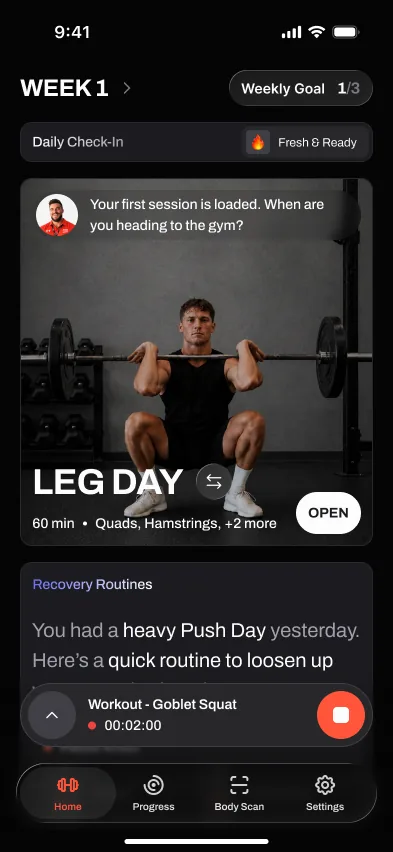
Handler active workout: goblet squat set being logged with a running timer
Private build: set logging and a running rest timer.
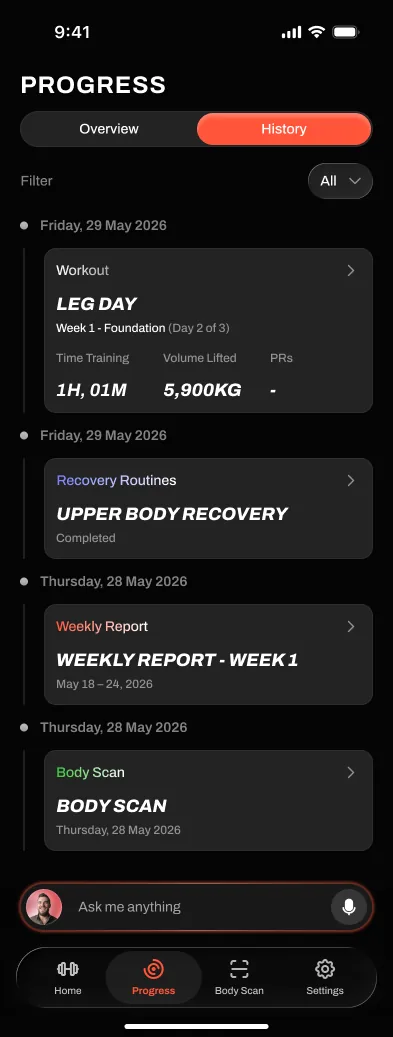
Handler progress history: LEG DAY session filed with 1 hour 1 minute training time and 5,900 kg volume
Example history screen from the private build.

Weak-signal gym?
Offline logging is still under test.

  • Set 1 — squat 5 @ 102.5 kg · RPE 8
  • Set 2 — squat 5 @ 102.5 kg · RPE 8
  • Set 3 — squat 5 @ 102.5 kg · RPE 8.5
  • Set 4 — squat 4 @ 102.5 kg · RPE 9 — stalled
  • Illustrative log, not a measured sync result
Offline logging, in detail
Coach threadExample conversation

A coach you can actually talk to.

Coach chat is part of the invited iPhone beta. This illustrative exchange shows the kind of training context a conversation can cover; it is not a recorded response.

YouThe leg curl machine was busy, so I skipped it.

CoachKeep that in your session notes. Which exercises did you finish, and how much time did you have?

YouAnd I only have 40 minutes on Thursday.

CoachLet's review Thursday's planned exercises and decide what fits. A shorter session does not mean we should silently rewrite the rest of your week.

AdaptationIllustrative planning review

Review what happened.
Consider what comes next.

These example edits show a planning discussion, not an automatic output from the app. Training decisions need the wider program and the lifter's context.

Next session — lower bodyWeek 4 · illustrative changes
Back squat105 kg 102.5 kg · hold · 4 × 5 + back-off 1 × 5 @ 92.5set 4 stalled at RPE 9 — consolidate, then push.
Romanian deadlift3 × 8 9 · 80 kg8/8/8 clean — you earned the rep.
Leg press3 × 10 · 160 165 kgre-test passed. Load moves again.
Seated leg curl 45° back extension3 × 12 · bodyweight → slow tempodifferent equipment, different movement; review the substitution.
Illustration only. These are not default progression rules or a personalized prescription.
The systemKeep the context

Record. Review. Ask.

Useful training records help you ask better questions. These principles are not promises of automatic changes or better training outcomes.

R–01

Keep the record

Record completed reps, load, effort, and relevant notes. Keep the result separate from the target you intended to hit.

R–02

Stalls are data

A missed target is context to review, not an automatic instruction to add work or change the whole program. Look at the pattern and your program's guidance.

R–03

Know the limits

Coach chat does not diagnose pain or clear you to return to an exercise. Seek qualified professional advice for symptoms or an injury.
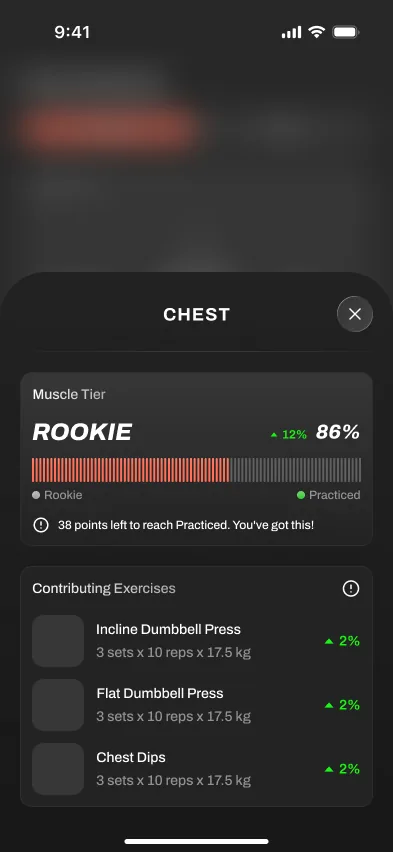
Handler muscle detail: Chest at Rookie tier, 86 percent, with contributing exercises
Example muscle progress screen from the private build.

Progress you can audit.

Review your training history and progress in the private iPhone build. A progress score is not a medical assessment or a direct measurement of recovery.

The progression engine

StatusHandler is in an invited TestFlight beta. The public App Store listing is being prepared; beta access is free and does not create a subscription.

Straight answersFAQ

Asked constantly.

Is Handler available?
Handler is running an invited TestFlight beta on iPhone. The public App Store listing is not live yet, but you can request beta access through the support page.
What is Handler?
Handler is an AI personal trainer and workout tracker for strength training. It builds your program, lets you log every set, adjusts your next workout, and gives you a coach-style chat thread for questions, debriefs, and check-ins.
How is Handler different from Hevy or Strong?
Hevy and Strong are excellent workout loggers if you already know what to do. Handler is built for people who want the app to write the program, explain the plan, and progress workouts from their logged performance.
How is Handler different from Fitbod?
Fitbod is strongest as a workout generator. Handler is designed more like a coaching relationship: a plan over time, a persistent coach thread, post-workout debriefs, and changes when your schedule, equipment, soreness, or injuries change.
Do I need to know how to program my own workouts?
No. Handler builds your program from a short setup chat about your goals, experience, schedule, and equipment. You can still edit any session, swap exercises, or tell the coach to change the plan.
Does Handler support Apple Watch and offline logging?
Not as public features today. Handler is in an invited iOS TestFlight beta, its Apple Watch companion is in development, and weak-signal logging behavior is still under test.
Is Handler free?
Invited TestFlight access is currently free and does not create a subscription. Public V1 is planned as a paid subscription; exact localized prices and any introductory offer will be shown by Apple before purchase.
Is Handler good for beginners?
Handler is designed to help beginners who want a structured plan, plain-language session guidance, and progression support instead of programming alone. It is still in an invited iOS TestFlight beta, so this describes the intended fit rather than a guaranteed outcome.
Can an AI app replace a personal trainer?
Handler can help with programming, progression, logging, and day-to-day training questions. It cannot observe technique or replace the judgment of a qualified in-person coach or clinician.
Does Handler work for home and garage gyms?
Yes. You set your available equipment during setup, and the coach programs around it, whether that is a full rack, adjustable dumbbells, or bands. Offline logging means a weak garage signal never interrupts a session.
What equipment and goals does Handler support?
It supports strength, muscle gain, and general fitness goals across barbell, dumbbell, machine, and bodyweight setups. You can train at a commercial gym, a home gym, or while traveling, and the plan adapts to what you have.